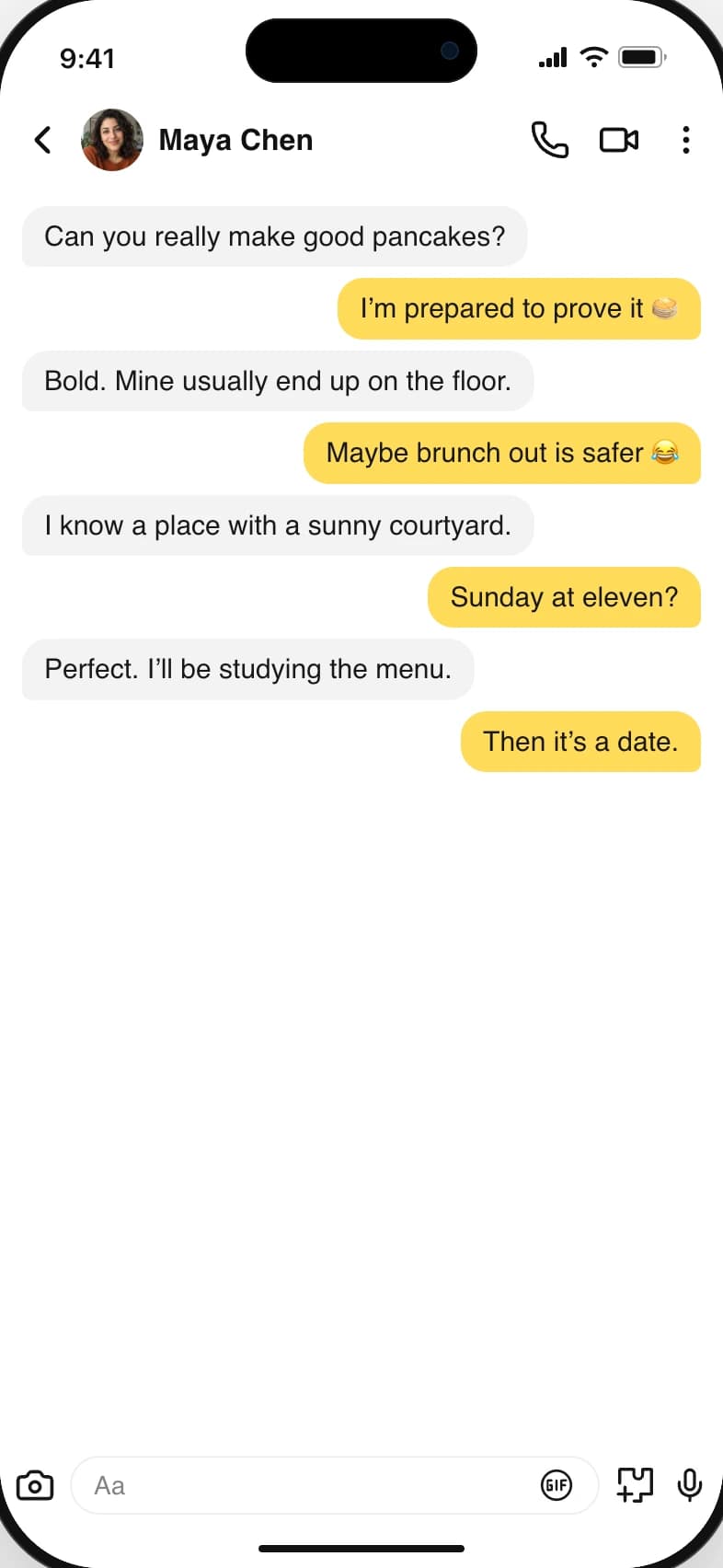
A fake screenshot generator is a browser tool that draws a messaging app's interface around text you write, then exports the result as an image. Nothing is sent through the real app and no account is connected. You choose the platform, write both sides of the conversation, set names, timestamps and read receipts, and download a PNG, JPG or WebP that looks like a screenshot of that app.
Is it free to create a fake screenshot?
Yes. Every one of the 18 editors is free to use with no sign-up, and every format and resolution is included. WhatsApp, Messenger and iMessage export without a watermark. The other 15 platforms add a watermark to free exports, and a pass or plan removes it.
Do I need to sign up?
No. You can build, preview and download from any platform without an account. Sign-in is optional and exists only so a paid plan can be attached to your account and used on another device.
Which chat apps are supported?
18 apps: WhatsApp, iMessage, Messenger, Telegram, imo, Instagram, X (Twitter), TikTok, Snapchat, Discord, Reddit, LinkedIn, Tinder, Bumble, Hinge, Grindr, Slack and Microsoft Teams. Reddit and X also have post and thread screens, and there are separate templates for tweets, Gmail, Strava, Apple Fitness and Screen Time.
Is the screenshot generator really free?
Yes. You can build, preview, and download chats from all 18 platforms without paying or signing up. WhatsApp, Messenger and iMessage export without a watermark. Downloads from the other 15 platforms include a watermark on the free tier. A paid pass or plan removes that watermark; the editor and its customization tools stay available to everyone.
How do I create a fake chat screenshot?
Choose a platform, then write both sides of your conversation. Set the names, profile pictures, messages, timestamps, and delivery states in the editor. The preview updates as you work. When the conversation looks right, choose an image format and resolution, then download the screenshot to your device. You do not need to install anything or connect a messaging account.
Can I customize more than the message text?
Yes. You can change participant names and profile pictures, add images, adjust timestamps, and choose light or dark mode. Device settings include phone models, the status-bar time, battery level, and signal strength. Message options vary by platform so you can work with the details that fit the conversation you are creating.
What image formats and resolutions can I export?
Download your screenshots as PNG, JPG, or WebP at 1×, 2×, or 3× resolution. PNG is a good starting point for crisp text; JPG or WebP can be useful when file size matters. The final image dimensions depend on your chosen device or desktop layout and export scale. You can review the preview before downloading.
Do you store the conversations I create?
Your screenshot is rendered in your browser and downloaded directly to your device; the image and any photos you add never leave it. When you download a chat, we keep a copy of its text (the names and messages, not the image) for 30 days to understand what kinds of screenshots people make, then delete it. Nothing is kept while you edit, and the editor is not a cloud backup, so download the finished image before you leave the page. See our Privacy Policy for the details.
Can I use the generator on my phone?
Yes. The editor runs in your web browser on mobile and desktop, with no app installation required. You can choose an iPhone or Android frame for the screenshot independently of the device you are using to create it. A larger screen is helpful when you are editing longer conversations, but it is not required.
What does a paid pass or plan unlock?
Paid access removes the watermark from exports on all 18 platforms. The headline options are $2.99 for 24 hours or $49 a year, with other durations on the pricing page. A short pass expires automatically; recurring plans renew until cancelled. You can use the free editor to check the layout before choosing the access period that fits your project.
What can I make with these screenshots?
Create fictional conversations for videos, social posts, memes, educational examples, design mockups, and presentations. Write the dialogue yourself and adapt its timing and layout to the story. These are simulated conversations, not messages sent through the original apps. Label fictional content when it could be mistaken for a real conversation, and keep real people’s private information out of your examples.
YOUR IDEAS. YOUR PACE.
Create for free. Choose how long to go Pro.
Every editor is free to use. Paid access removes the watermark. A day, a month, or forever: there’s an option for your next idea.
Free
$0 always
Start with an idea. No payment needed.
Edit all 18 platforms and download in every format and resolution. WhatsApp, Messenger and iMessage export without a watermark; other platforms include one.
Offers on now: 7-day pass $4.99 (was $6.99), Lifetime $64.50 (was $129), 25% off your first month or year of Pro. Applied at checkout, no code to enter.
A pass that runs out on its own, or lifetime. Nothing to cancel.